Time Calculation
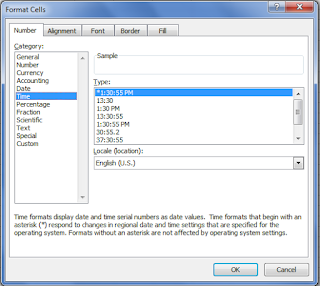
1. :- Excel can work with time very easily. 2:- Time can be entered in various different formats and calculations performed. 3:- There are one or two oddities, but nothing which should put you off working with it. Time Formats :- HH:MM:SS When time is entered into worksheet it should be entered with a colon between the Hour, Minute and Seconds. Example 1 :- 10:20:22 , 13:30:01, 23:00:00 OR Example 2 :- 10:20 AM , 01:30 PM, 11:00 PM Excel can either the 24 hour or the am/pm system. Difference between two times End Time - Start Time = difference You may need to reformat the answer. Adding time End Time + Start Time = Answer =Sum(start Time + End Time) How To Apply Custom Formatting 1. Click on the cell which needs the format. 2. Choose the Format menu. 3. Choose Cells . 4. Click the ...